Home AI Wallpaper Generator Categories How It Works FAQ About Generate Wallpaper

Wallpaper category

AI Anime Wallpaper Generator

The most loved anime wallpapers are rarely about characters — they are the skies, streets and seasons behind them. This category channels painted background art: towering clouds, warm palettes and that quiet, nostalgic light animated films do so well.

Open the Generator See Prompt Ideas
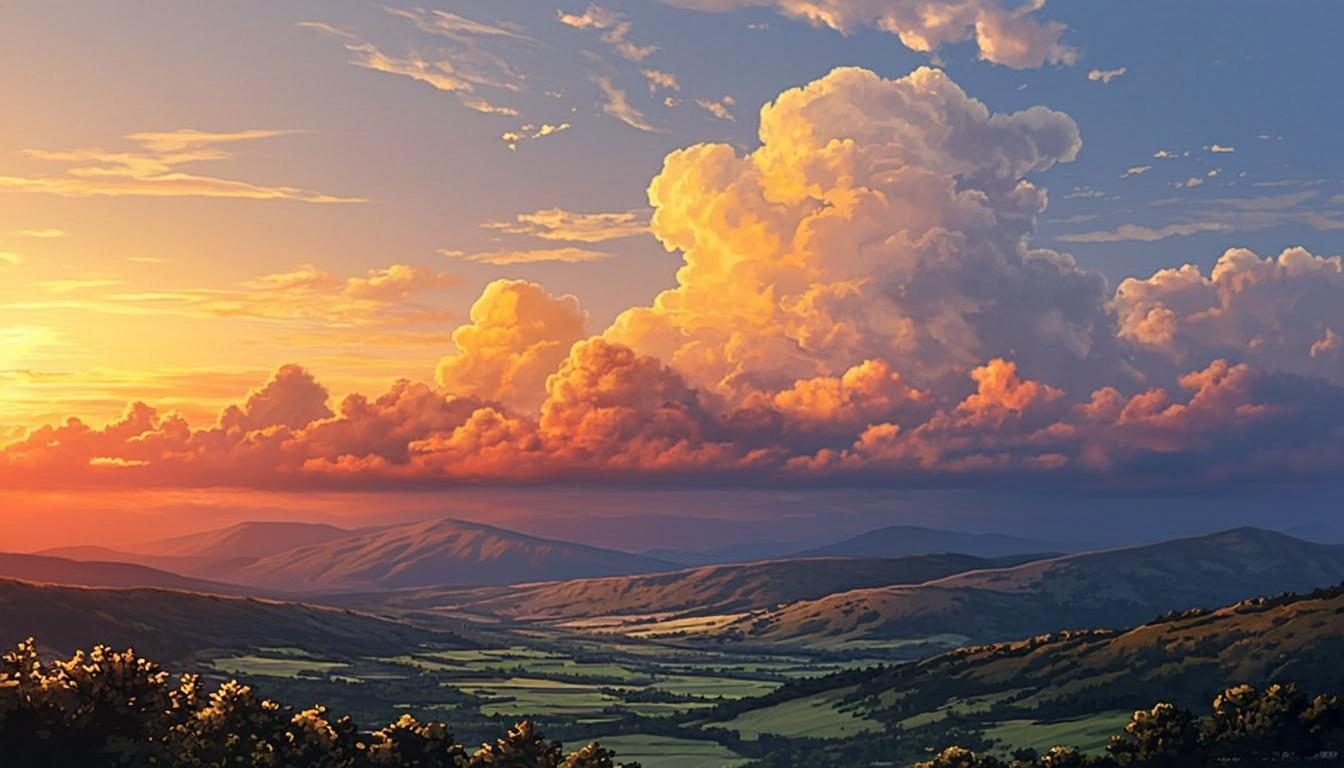
Anime style sky with towering golden hour clouds
Painted Sky · 16:9 · 4K

What defines it

Background-art focusOriginal scenery in the spirit of animated films — no existing characters.
Painterly palettesSoft, warm color families with gentle gradients and hand-painted texture.
Nostalgic lightGolden hour glow, long shadows and summer haze baked into every scene.
Cloud-first dramaBig cumulus shapes that give a wallpaper its personality.

What makes anime wallpapers work

Anime background art is its own discipline: real places, slightly idealized, painted with generous light. The skies are taller, the greens are warmer, and telephone poles and rooftop antennas become part of the composition instead of clutter. Recreating that feeling is mostly about naming the light — “golden hour”, “late summer afternoon”, “just after rain” — and letting the palette stay soft. An AI anime wallpaper generator pointed at background art gets you there faster than a blank canvas ever will.

One honest boundary: this generator composes original scenery. It will not reproduce existing shows, studios or characters, and naming a franchise in a prompt will not conjure one. That is good news for your lock screen — what you get is original background art in the style you asked for, with nothing borrowed to worry about. If you are wondering about usage, the FAQ covers what the previews are and how you may use them.
How to get the look

Set the scene the way a background painter would: pick a place, a time of day and a season, then add one memorable cloud. The style controls handle the painted finish — the how-it-works walkthrough shows where each control sits.

  • Use the phrase “anime background art” or “painted scenery” to set the finish, not just the subject.
  • Name the light: “golden hour”, “afternoon haze” or “blue hour after rain” each shift the palette differently.
  • Add nostalgic props — train crossings, rooftops, contrails — sparingly; one is atmosphere, three is clutter.
  • Ask for one “towering cumulus cloud” as the hero instead of a fully busy sky.

Prompt ideas

Anime wallpaper prompts to try

Copy one, or open it in the generator and adjust the controls.

“Towering summer cumulus clouds over a quiet coastal town at golden hour, anime background art style, warm nostalgic palette”

Try it

“Rural train crossing in late afternoon light, long shadows, painted anime scenery style, soft pastel sky”

Try it

“Starry night over calm seaside hills, deep blues with a warm horizon glow, anime background art, vertical 9:16”

Try it

Recommended sizes

Common uses, ratios and resolutions for anime wallpapers.
Use caseAspect ratioSuggested size
Desktop scene16:93840 × 2160
Phone lock screen9:161440 × 2560
Square crop1:12048 × 2048

Anime wallpaper FAQ

No. Every preview is an original, browser-generated visual composed from your prompt and the style controls. No existing shows, studios or characters are involved, and prompts that name a franchise will not reproduce one.

Not on this site — the generator paints original scenery only. Steer the mood with place and light instead: a “seaside town in late summer” will get you closer to the feeling you want than a title ever could.

Combine “painted” or “anime background art” with soft-light vocabulary: “golden hour”, “pastel palette”, “gentle gradients”. Keeping the color family narrow — two or three warm tones — finishes the effect.

Create an anime wallpaper now

Describe your scene, choose the anime style, and preview it instantly — free, right in your browser. The preview is generated on your device.

Copied