Home AI Wallpaper Generator Categories How It Works FAQ About Generate Wallpaper

Wallpaper category

AI 3D Wallpaper Generator

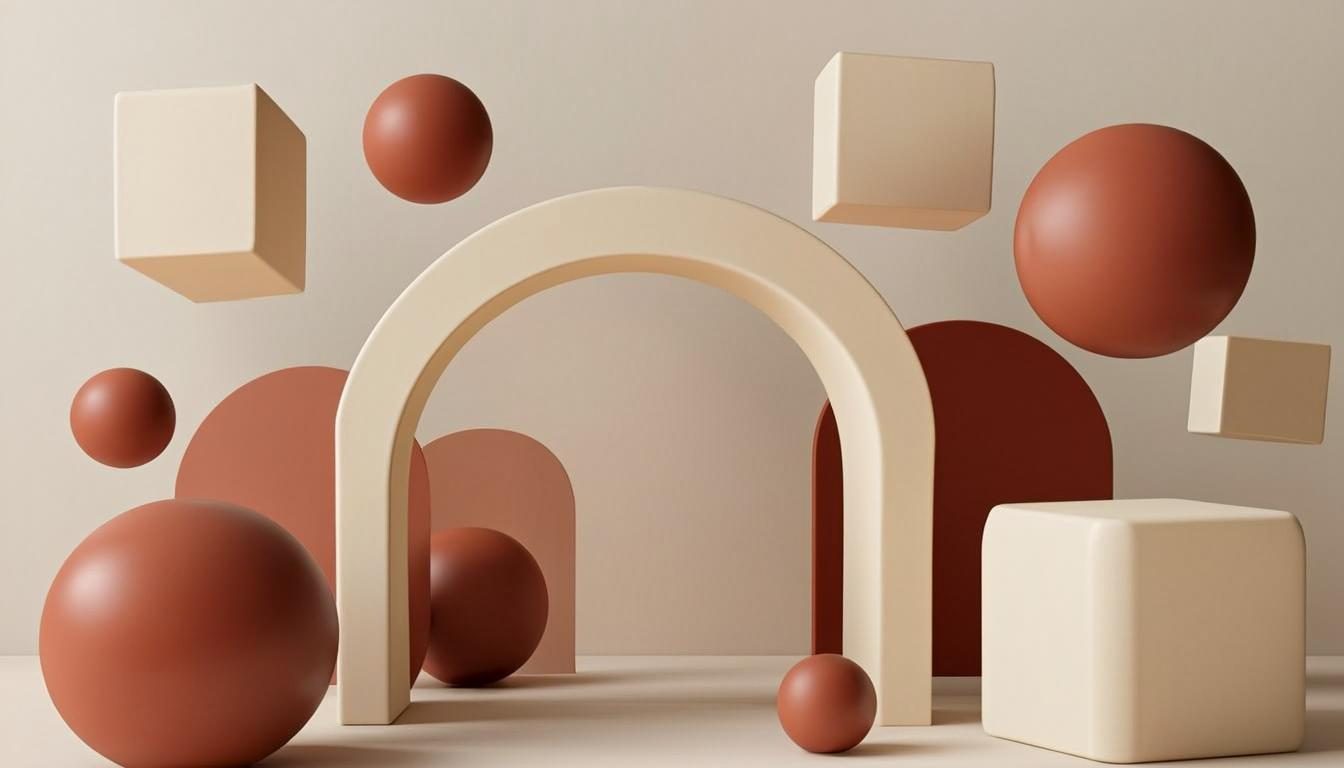
3D wallpapers borrow the language of rendering: confident geometry, soft studio light and materials you can almost touch. This category is about depth you can feel — glossy spheres, frosted panels and shadows that quietly ground every shape.

Open the Generator See Prompt Ideas
Glossy abstract 3D spheres and arches in warm studio light
Studio Render · 16:9 · 4K

What defines it

Rendered geometrySimple, confident shapes — spheres, arches, tori — staged like a studio set.
Material contrastGlossy, matte and frosted surfaces playing against each other for depth.
Soft studio lightLarge, gentle light sources with clean shadows that anchor objects.
Layered separationForeground, midground and backdrop that survive any screen crop.

What makes 3D wallpapers work

A convincing 3D wallpaper is a lighting scene before it is an object scene. Rendered art looks real when one large, soft light wraps the shapes and a subtle contact shadow pins each object to its surface. Remove the shadow and even a perfect sphere looks pasted on; keep it, and the simplest composition — three spheres, one arch, a gradient wall — turns into a room you could walk into. An AI 3D wallpaper generator lets you stage that room with nothing but words.

Materials carry the rest. Glossy surfaces catch a bright highlight and imply polish; matte surfaces drink the light and read as soft or ceramic; frosted surfaces blur whatever sits behind them and add instant sophistication. Mixing two, never three, keeps the frame coherent. This is why the prompts below always name a finish — “glossy”, “matte”, “frosted glass” — next to every shape they mention.

How to get the look

Stage the scene in words: backdrop, floor, light, then objects. The preview is composed on your device, so each adjustment to the materials or lighting shows up in seconds — the how-it-works guide maps out which control does what.

  • Open with the light: “soft studio light” or “single window light” sets the whole mood.
  • Pair each shape with a material — “glossy pastel spheres”, “frosted glass cubes” — for crisp previews.
  • Add “contact shadows” or “grounded on a matte floor” so objects stop floating.
  • Keep the palette to a backdrop color plus one or two object colors.

Prompt ideas

3D wallpaper prompts to try

Copy one, or open it in the generator and adjust the controls.

“Glossy pastel spheres and arches floating in soft studio light, warm cream backdrop, subtle contact shadows, 3D render style”

Try it

“Frosted glass cubes stacked in a warm gradient room, soft daylight, matte floor, minimal 3D composition”

Try it

“Single chrome torus on a matte pedestal, long soft shadows, dark charcoal studio backdrop, cinematic 3D render”

Try it

Recommended sizes

Common uses, ratios and resolutions for 3D wallpapers.
Use caseAspect ratioSuggested size
Desktop monitor16:93840 × 2160
Phone lock screen9:161440 × 2560
Square crop1:12048 × 2048

3D wallpaper FAQ

No. Describe the light, the materials and the shapes, and the browser-generated preview composes the scene for you. If you do work in real 3D tools, the same prompt doubles as a shot brief you can copy with one click.

Glossy and matte together — one catches a highlight while the other absorbs it, and that contrast creates depth. Frosted glass is the quiet third option when you want softness without losing structure.

Add grounding and separation: a named backdrop, contact shadows under the objects and one element closer to the camera. Words like “long soft shadows” and “blurred backdrop” restore depth fast.

Create a 3D wallpaper now

Describe your scene, choose the 3D style, and preview it instantly — free, right in your browser. The preview is generated on your device.

Copied